Import an existing repertoire
Already have a repertoire somewhere else – a Lichess study, a course from another opening trainer, a file on disk? If it can be exported as PGN, it can be trained here. This guide imports one White and one Black repertoire into empty courses and ends with everything queued for spaced repetition.
Tip
Every image in this guide is a real product screenshot – only the repertoire shown is mocked. Click any image to enlarge.
1 · Start on the Courses page
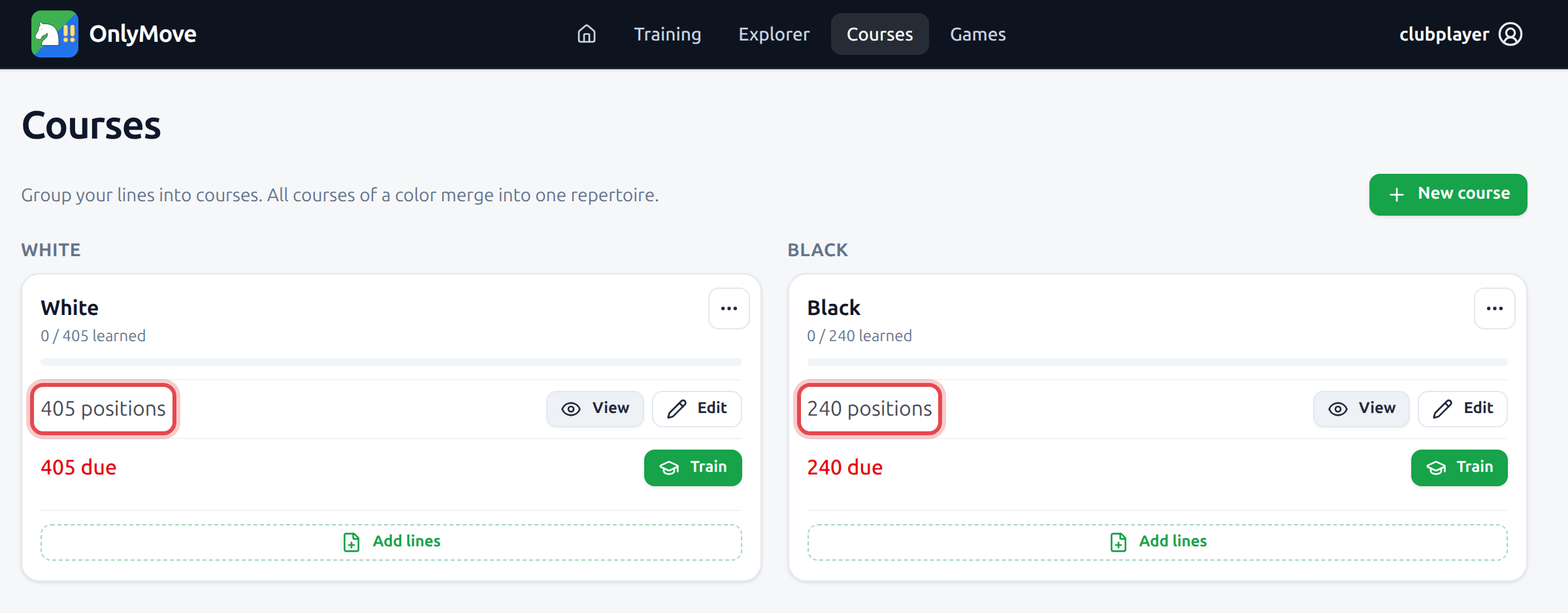
A repertoire lives in Courses: one or more courses per color, all courses of a color merging into the repertoire that training drills. A new account starts with an empty White and Black course – 0 positions each – which is exactly what you want to import into.
Open the White course and choose Add lines. Everything after this is the same dialog, whatever your PGN came from.
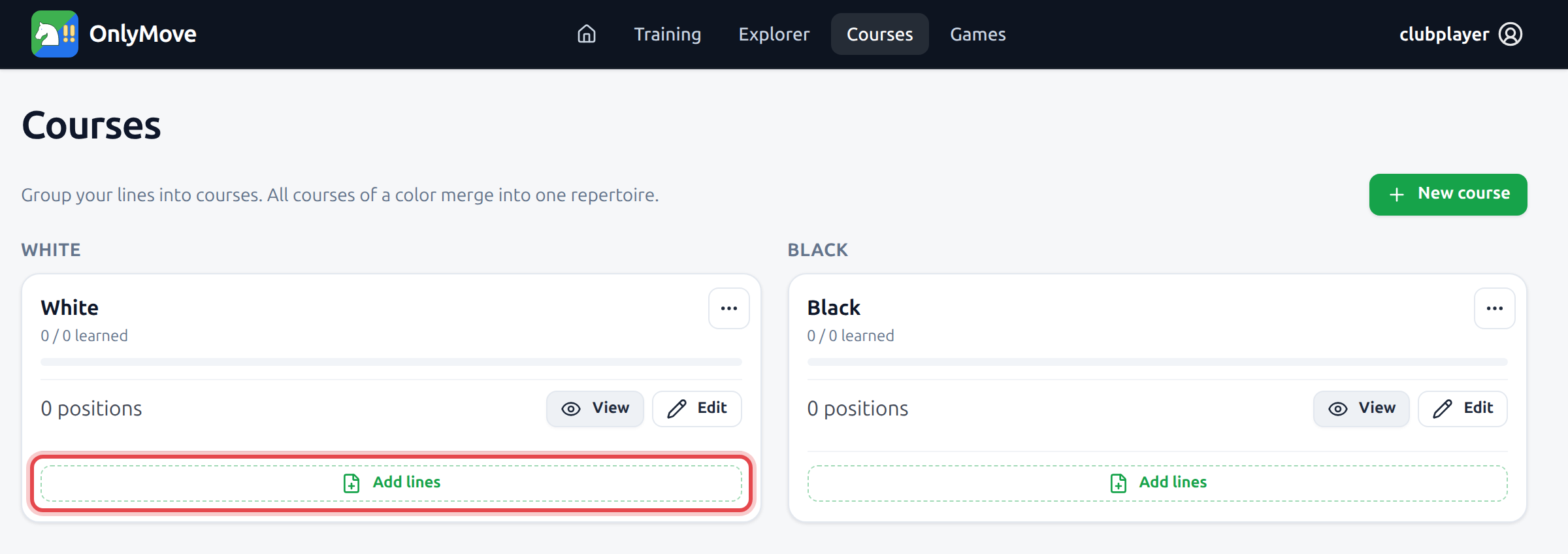
Prefer one course per source – New course lets you name it (e.g. Anti-Sicilian) before adding lines, so you can retire or re-import it later without touching the rest.
2 · Paste it, or upload the file
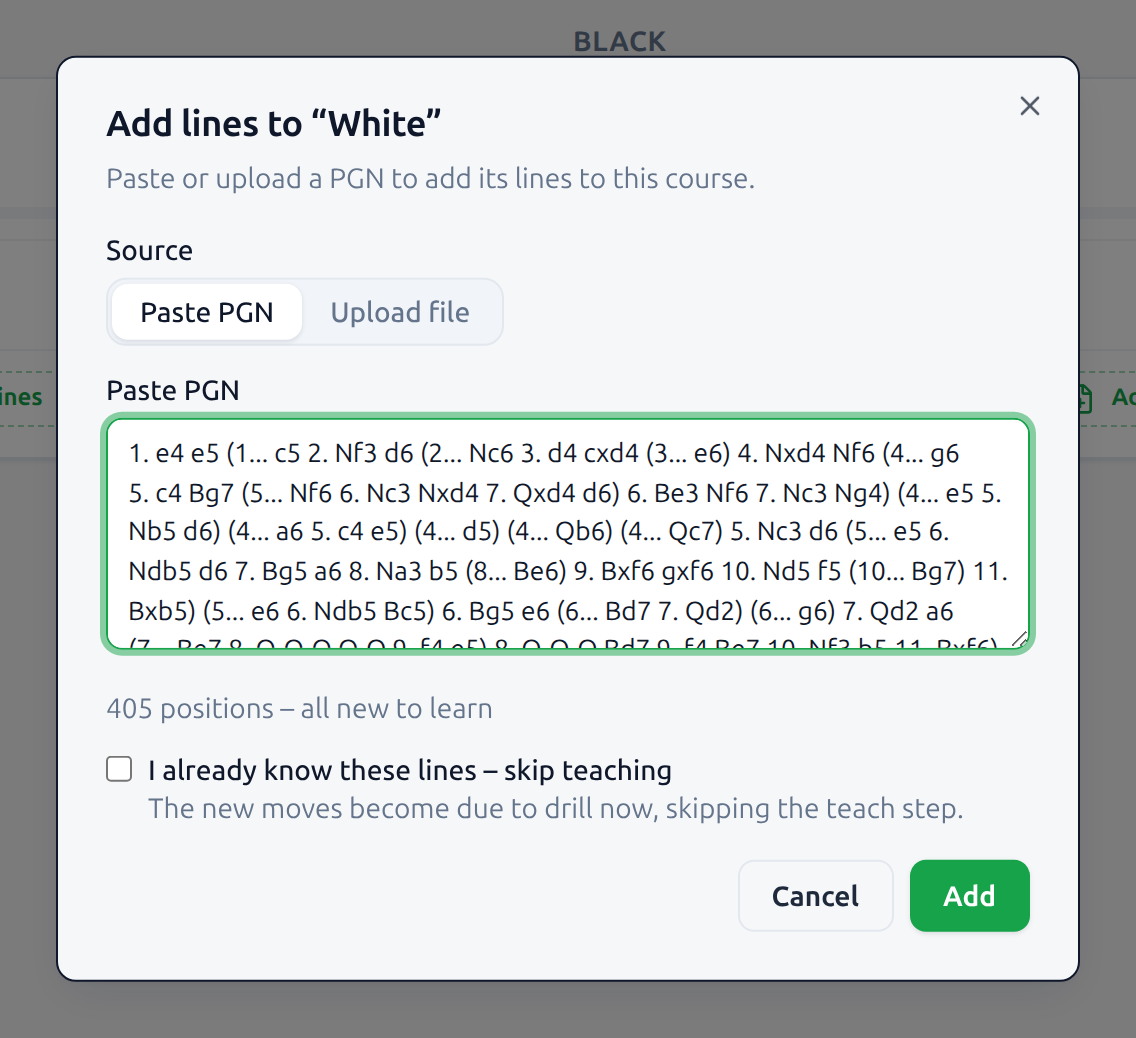
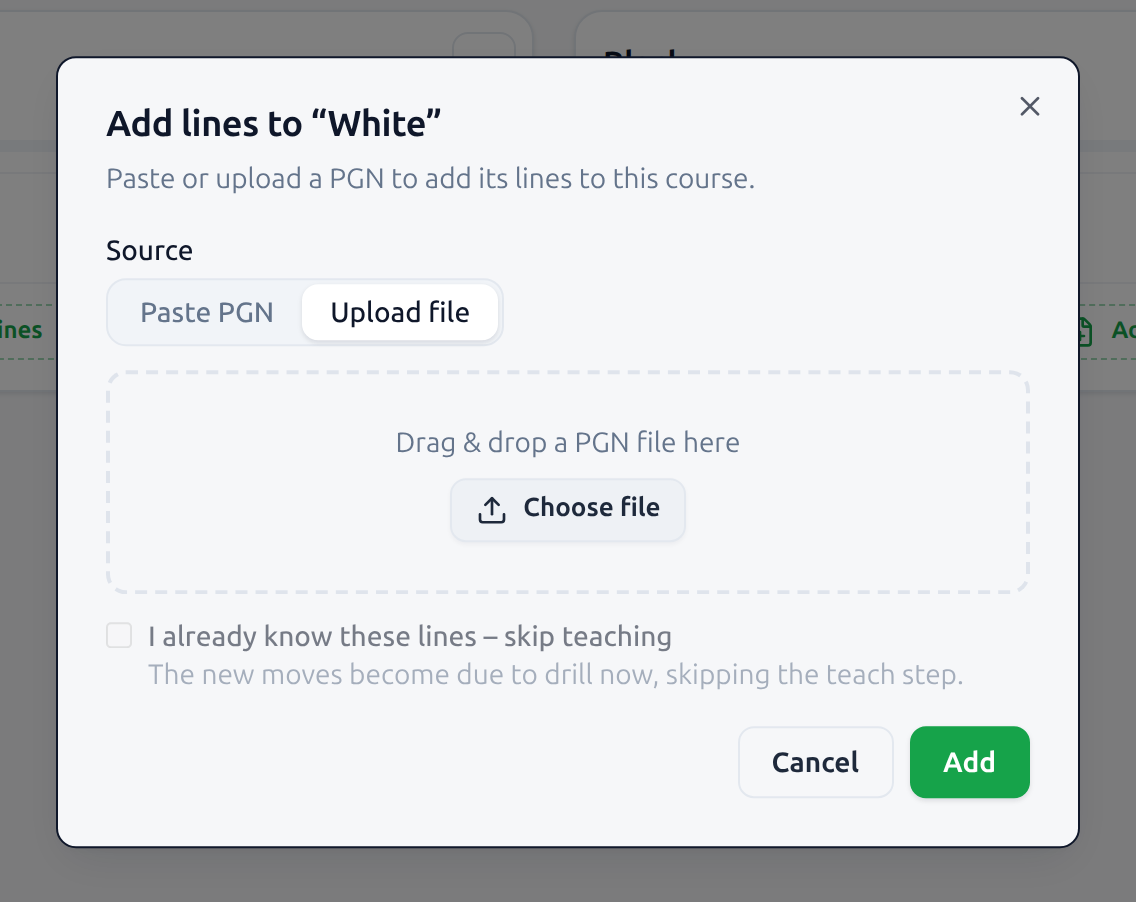
Two ways in, and they are equivalent. Paste PGN takes the text straight from your clipboard – handy for a Lichess study chapter, where the PGN is one click away. Upload file takes a .pgn from disk, by Choose file or by dropping it on the box.
Either way the PGN is read as you go and summarized underneath: here, 405 positions – all new to learn. That count is the moves you would play – your opponent’s replies are the branches between them, not cards. Every variation comes across, along with any arrows and square highlights the PGN carries. Headers are optional: the course you are adding to already decides the color.
A whole Lichess study exports one game per chapter. In Courses, a file with multiple games opens a chapter picker: check the chapters you want to add to this color. The dialog suggests a selection based on the lines, and you can change it before importing. Repeat on the other color’s course if the study contains both. The separate Explorer import accepts one game at a time.
Move comments are imported automatically with your lines. Read them below the move list in Explorer, and choose Edit repertoire to add or edit them. In Training, open the Comments menu beside Hint and choose Show comments to read the explanations alongside your moves.
Study changes do not sync automatically. Re-import the PGN to add new lines; existing moves are recognized and keep their training progress. Re-importing does not remove lines deleted from the study, so remove those in OnlyMove too if you want both to match.
3 · Already know these lines? Skip teaching
By default every imported move is new, and training starts by teaching it: the move is shown to you once, then immediately tested from memory. That is right for lines you are meeting for the first time.
It is wasted effort for a repertoire you have already drilled elsewhere. Tick I already know these lines – skip teaching before Add and the imported moves skip the teach and recall steps and become due to drill right away – spaced repetition simply starts measuring what you actually remember, and re-teaches only what you miss.
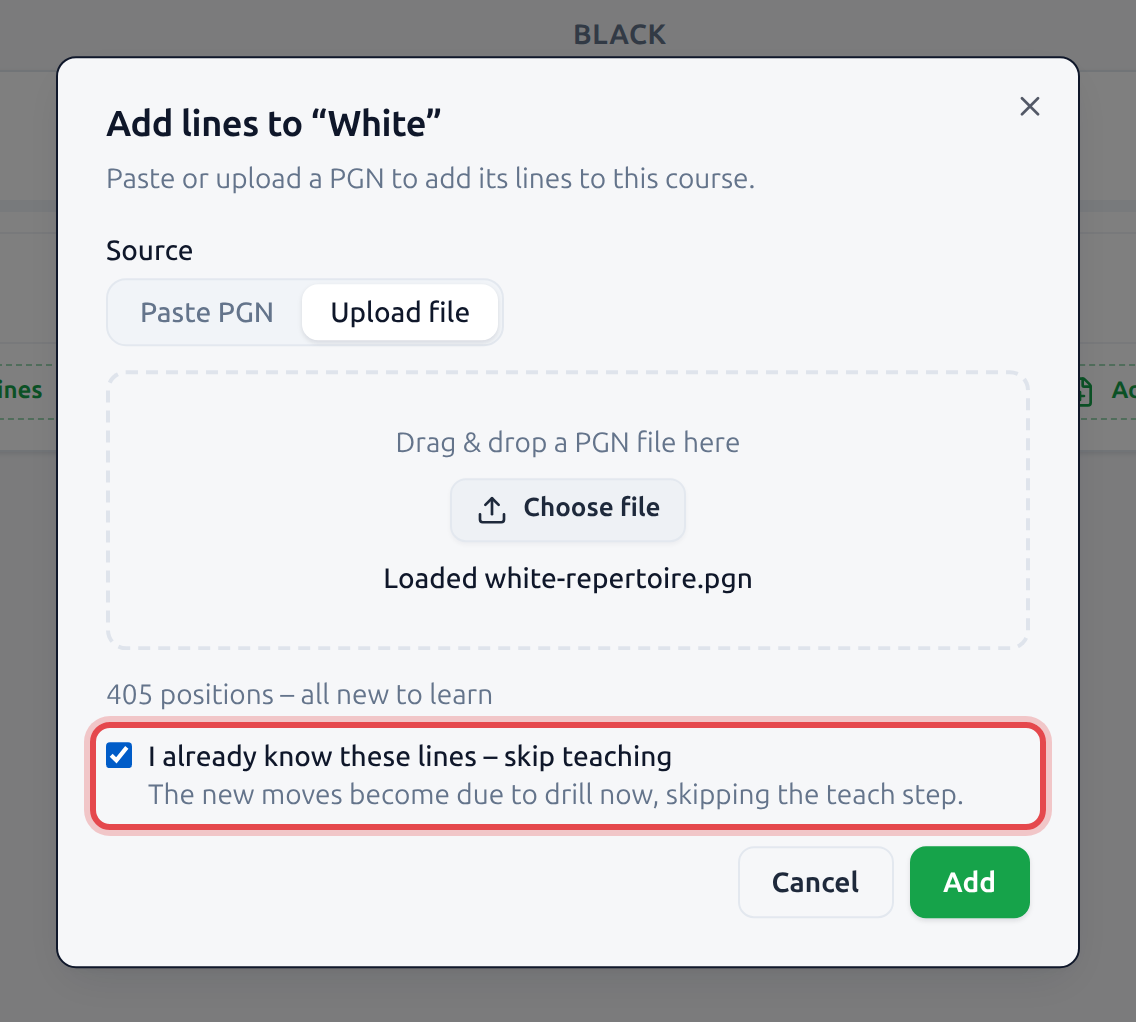
Forgot to tick it? The same thing is available later from the course’s More actions menu as Skip teaching.
4 · Do the same for Black
Repeat the whole step on the Black course: Add lines, paste or upload that repertoire’s PGN, skip teaching if you know it, Add. The course you add to decides the color; for a whole study, check the selected chapters before importing. If a PGN’s shape disagrees with the course (your side branching more than your opponent’s, which is what the opposite repertoire looks like), the dialog warns you before anything is added.
Both courses now carry their lines: 405 positions for White, 240 positions for Black. Because teaching was skipped, every one of them is already due – 405 due and 240 due – and each course has its own Train button if you would rather drill one color at a time.
5 · Everything is queued to drill
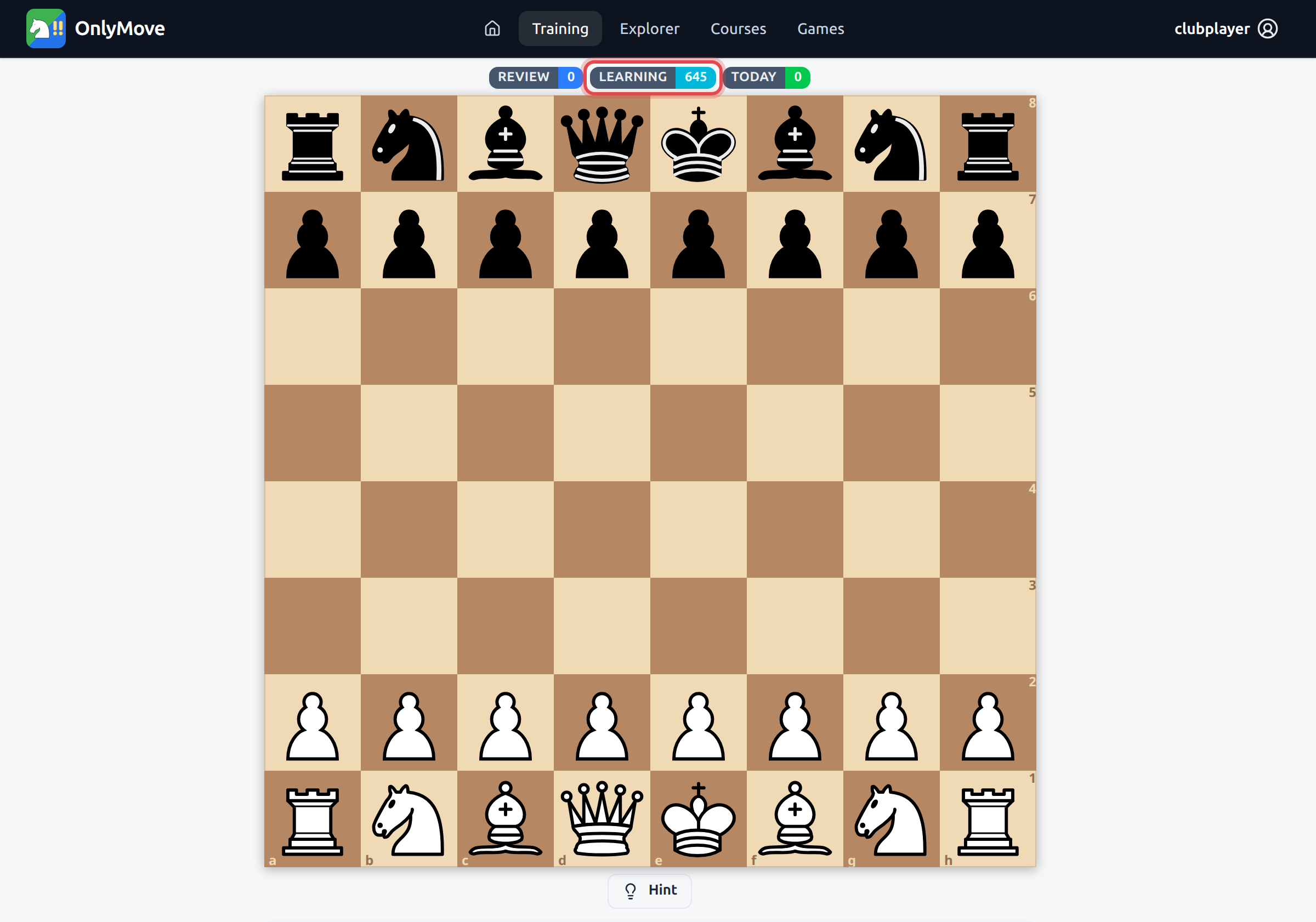
Open Training and the badges tell you where the import landed: LEARNING 645 – every position from both courses, waiting to be drilled now rather than taught. Nothing else to set up; the queue is your repertoire.
From here the normal loop takes over. Each move you recall cleanly graduates and comes back at a widening interval; each one you miss stays close. Whatever you genuinely knew when you imported settles quickly – the gaps are what you end up spending time on.